Introduction
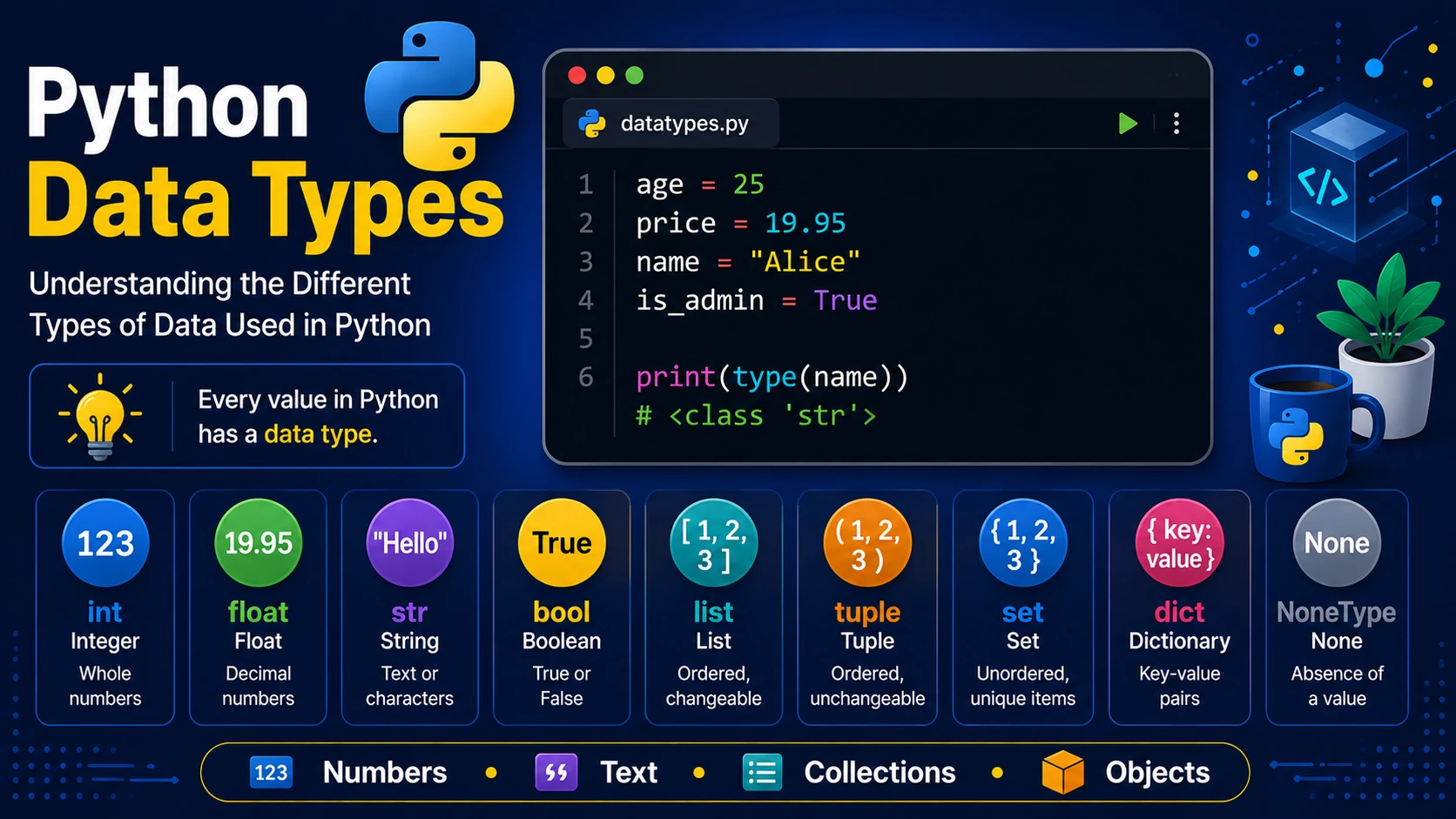
Every value stored in Python has a data type. Data types tell Python what kind of information is being stored and what operations can be performed on it.
Numeric Data Types
Python provides three main numeric types.
age = 25        # int

price = 19.95  # float

distance = 4 + 2j   # complex
- int — Whole numbers
- float — Decimal numbers
- complex — Complex numbers
Strings
Strings store text.
name = "Alice"

message = 'Welcome to Python'

print(name)
Boolean
Boolean values are either True or False.
is_logged_in = True

is_admin = False
Lists
Lists are ordered collections that can be modified.
fruits = ["Apple", "Banana", "Orange"]

print(fruits[0])
Tuples
Tuples are ordered collections that cannot be changed after creation.
colors = ("Red", "Green", "Blue")
Sets
Sets store unique values.
numbers = {1,2,3,4,5}
Dictionaries
Dictionaries store information as key-value pairs.
person = {
    "name":"Alice",
    "age":25,
    "country":"Mauritius"
}

print(person["name"])
NoneType
The value None represents the absence of a value.
result = None
Checking Data Types
Use the type() function.
x = 15

print(type(x))

print(type("Hello"))

print(type(True))
Type Conversion
Python allows values to be converted from one type to another.
age = "25"

print(int(age))

price = 19

print(float(price))

number = 125

print(str(number))
Summary
Python provides many built-in data types for storing different kinds of information. Understanding these types will help you write flexible, reliable and efficient programs.
Examples
The following examples help reinforce the concepts explained in this lesson.
<!DOCTYPE html>
<html>

<head>

<title>My First Page</title>

</head>

<body>

<h1>Hello World</h1>

</body>

</html>
💡 Pro Tip
Practice every concept immediately after reading it. Learning by doing is the fastest way to master HTML.
⚠ Common Mistake
Do not simply copy code examples. Type them yourself and experiment with small changes.
Best Practices
- Write clean and readable HTML.
- Indent your code consistently.
- Use semantic HTML elements.
- Validate your HTML regularly.
- Test your pages in multiple browsers.
Frequently Asked Questions
Why should I learn HTML first?
HTML is the foundation of every website. Once you understand HTML, learning CSS and JavaScript becomes much easier.
Is HTML difficult?
No. HTML is considered one of the easiest web technologies to learn, making it an excellent starting point for beginners.