
Introduction
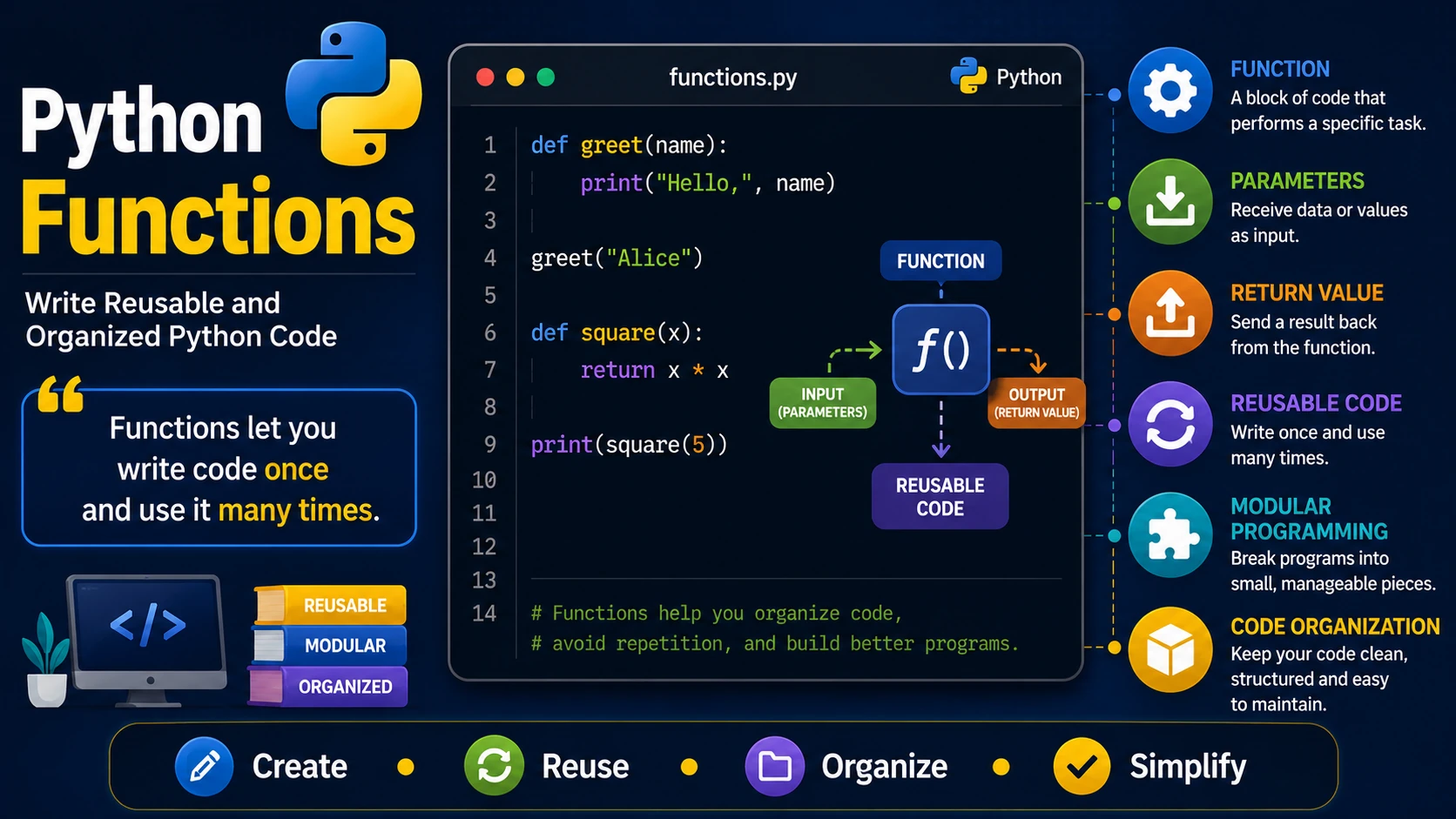
Functions are reusable blocks of code that perform a specific task. Instead of writing the same code multiple times, you can place it inside a function and call it whenever needed. Functions make programs easier to read, maintain, and debug.
Creating a Function
In Python, functions are created using the def keyword.
def greet():
    print("Hello, World!")
This creates a function named greet(), but it will not run until it is called.
Calling a Function
To execute a function, write its name followed by parentheses.
def greet():
    print("Hello, World!")

greet()
Output:
Hello, World!
Functions with Parameters
Parameters allow you to pass information into a function.
def greet(name):
    print("Hello,", name)

greet("Alice")
greet("John")
Multiple Parameters
def add(a, b):
    print(a + b)

add(5, 3)
Returning Values
A function can return a value using the return statement.
def square(number):
    return number * number

result = square(6)

print(result)
Why Use Functions?
- Reduce repeated code.
- Improve readability.
- Make debugging easier.
- Organize large programs.
- Encourage code reuse.
Real-World Example
def calculate_total(price, quantity):
    return price * quantity

total = calculate_total(25, 4)

print("Total:", total)
Best Practices
- Give functions descriptive names.
- Keep each function focused on one task.
- Use parameters instead of global variables when possible.
- Return values instead of printing them when the result will be used elsewhere.
Summary
Functions are one of the most powerful features of Python. They help you organize code into reusable building blocks, making programs cleaner, easier to understand, and simpler to maintain.
Examples
The following examples help reinforce the concepts explained in this lesson.
<!DOCTYPE html>
<html>

<head>

<title>My First Page</title>

</head>

<body>

<h1>Hello World</h1>

</body>

</html>
💡 Pro Tip
Practice every concept immediately after reading it. Learning by doing is the fastest way to master HTML.
⚠ Common Mistake
Do not simply copy code examples. Type them yourself and experiment with small changes.
Best Practices
- Write clean and readable HTML.
- Indent your code consistently.
- Use semantic HTML elements.
- Validate your HTML regularly.
- Test your pages in multiple browsers.
Frequently Asked Questions
Why should I learn HTML first?
HTML is the foundation of every website. Once you understand HTML, learning CSS and JavaScript becomes much easier.
Is HTML difficult?
No. HTML is considered one of the easiest web technologies to learn, making it an excellent starting point for beginners.