
Introduction
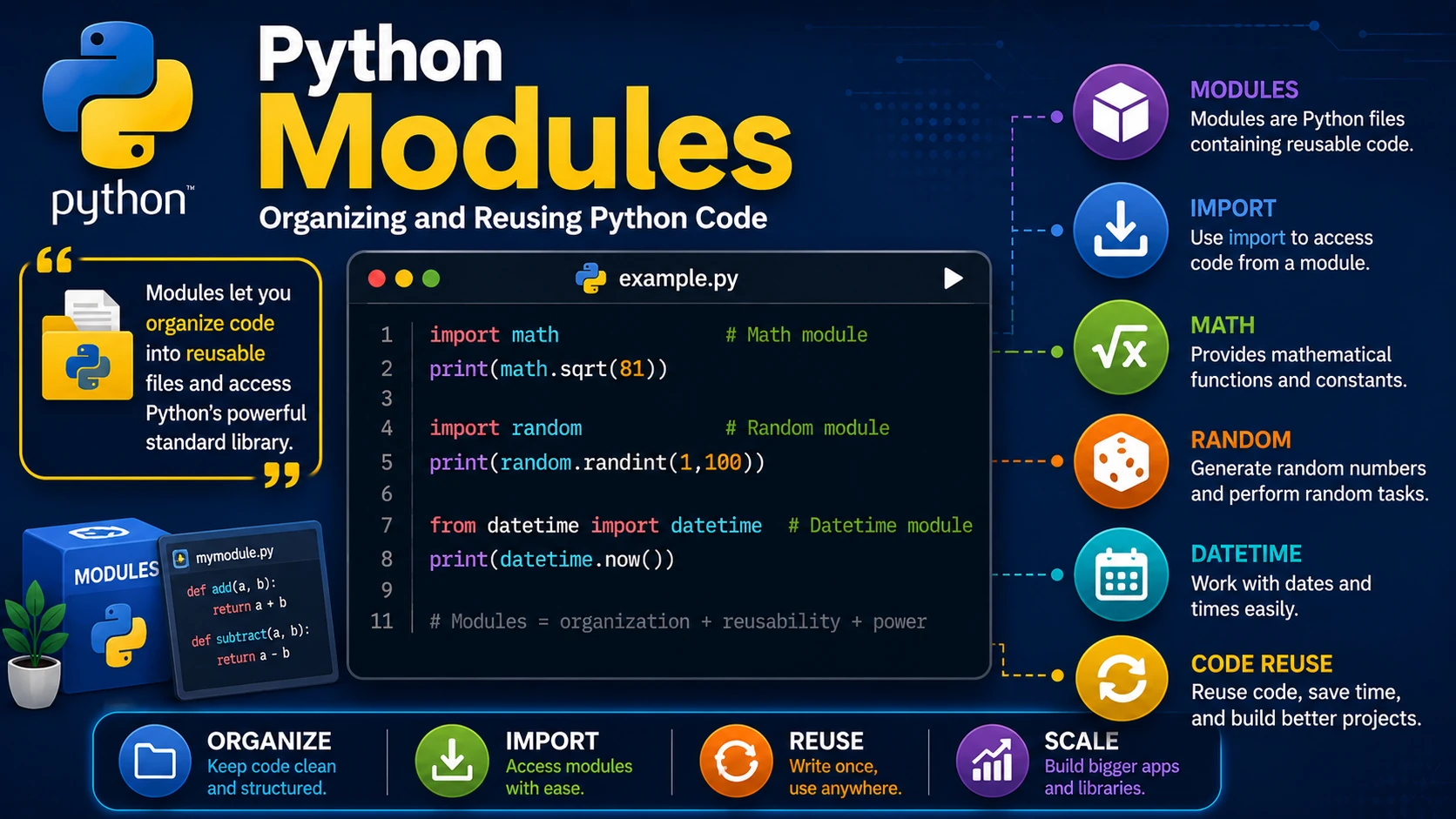
As programs become larger, placing all your code in a single file becomes difficult to manage. Python modules allow you to organize related functions, variables, and classes into separate files that can be imported whenever needed.
What is a Module?
A module is simply a Python file (.py) containing code that can be reused in other programs.
calculator.py

def add(a, b):
    return a + b

def subtract(a, b):
    return a - b
Importing a Module
Use the import keyword to access code from another module.
import calculator

print(calculator.add(10, 5))
print(calculator.subtract(10, 5))
Importing Specific Functions
You can import only the functions you need.
from calculator import add

print(add(20, 8))
Using an Alias
Aliases make long module names shorter and easier to type.
import math as m

print(m.sqrt(81))
print(m.pi)
Useful Built-in Modules
- math — Mathematical functions.
- random — Generate random numbers.
- datetime — Work with dates and times.
- os — Interact with the operating system.
- sys — Access Python runtime information.
Example: random Module
import random

print(random.randint(1, 100))
Example: datetime Module
from datetime import datetime

today = datetime.now()

print(today)
Why Use Modules?
- Organize code into smaller files.
- Reuse code across projects.
- Improve readability.
- Simplify maintenance.
- Take advantage of Python's extensive standard library.
Best Practices
- Group related functions into the same module.
- Use meaningful module names.
- Avoid importing everything using
from module import *. - Keep modules focused on a single purpose.
Summary
Modules help you build larger Python applications by dividing code into reusable files. Learning how to import built-in and custom modules is an essential step toward writing professional Python programs.
Examples
The following examples help reinforce the concepts explained in this lesson.
<!DOCTYPE html>
<html>

<head>

<title>My First Page</title>

</head>

<body>

<h1>Hello World</h1>

</body>

</html>
💡 Pro Tip
Practice every concept immediately after reading it. Learning by doing is the fastest way to master HTML.
⚠ Common Mistake
Do not simply copy code examples. Type them yourself and experiment with small changes.
Best Practices
- Write clean and readable HTML.
- Indent your code consistently.
- Use semantic HTML elements.
- Validate your HTML regularly.
- Test your pages in multiple browsers.
Frequently Asked Questions
Why should I learn HTML first?
HTML is the foundation of every website. Once you understand HTML, learning CSS and JavaScript becomes much easier.
Is HTML difficult?
No. HTML is considered one of the easiest web technologies to learn, making it an excellent starting point for beginners.