
Introduction
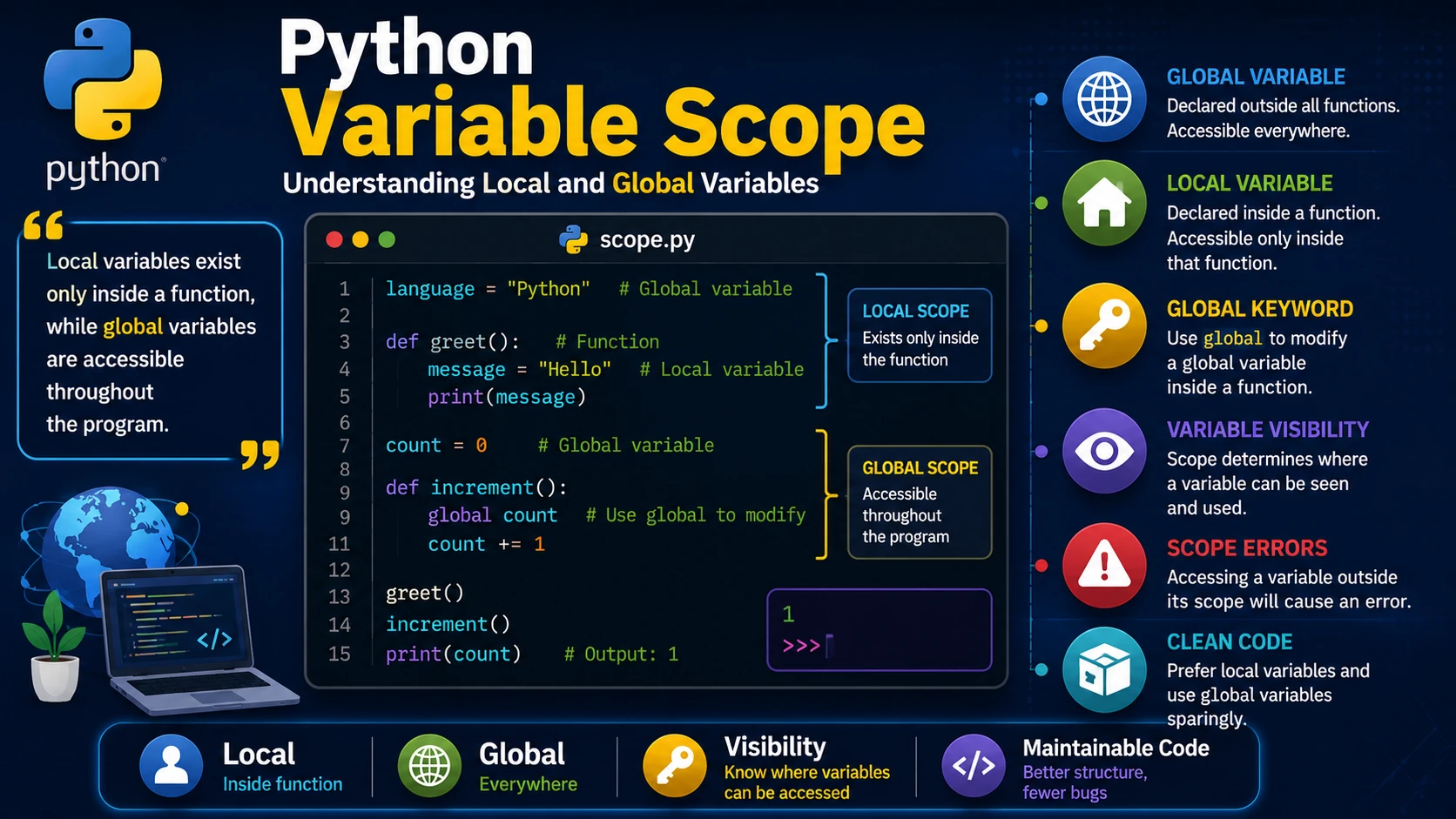
Variable scope determines where a variable can be accessed within a Python program. Understanding scope helps you avoid errors and write clean, maintainable code.
Local Variables
A local variable is created inside a function and can only be used within that function.
def greet():
    message = "Hello!"
    print(message)

greet()
Trying to access message outside the function will produce an error.
Global Variables
A global variable is declared outside all functions and is accessible throughout the program.
language = "Python"

def show_language():
    print(language)

show_language()
print(language)
Local and Global Variables with the Same Name
A local variable can have the same name as a global variable. Inside the function, the local variable takes precedence.
name = "Alice"

def display():
    name = "John"
    print(name)

display()
print(name)
Output:
John
Alice
Using the global Keyword
Use the global keyword when you need to modify a global variable inside a function.
count = 0

def increment():
    global count
    count += 1

increment()

print(count)
Best Practices
- Prefer local variables whenever possible.
- Use global variables sparingly.
- Give variables meaningful names.
- Avoid changing global variables unnecessarily.
Real-World Example
tax_rate = 0.15

def calculate_total(price):
    total = price + (price * tax_rate)
    return total

print(calculate_total(100))
Common Mistakes
- Trying to access a local variable outside its function.
- Forgetting to use
globalwhen modifying a global variable. - Using too many global variables, making programs difficult to maintain.
Summary
Understanding variable scope is essential for writing reliable Python programs. By using local variables whenever possible and limiting the use of global variables, your code becomes easier to read, debug, and maintain.
Examples
The following examples help reinforce the concepts explained in this lesson.
<!DOCTYPE html>
<html>

<head>

<title>My First Page</title>

</head>

<body>

<h1>Hello World</h1>

</body>

</html>
💡 Pro Tip
Practice every concept immediately after reading it. Learning by doing is the fastest way to master HTML.
⚠ Common Mistake
Do not simply copy code examples. Type them yourself and experiment with small changes.
Best Practices
- Write clean and readable HTML.
- Indent your code consistently.
- Use semantic HTML elements.
- Validate your HTML regularly.
- Test your pages in multiple browsers.
Frequently Asked Questions
Why should I learn HTML first?
HTML is the foundation of every website. Once you understand HTML, learning CSS and JavaScript becomes much easier.
Is HTML difficult?
No. HTML is considered one of the easiest web technologies to learn, making it an excellent starting point for beginners.