
Introduction
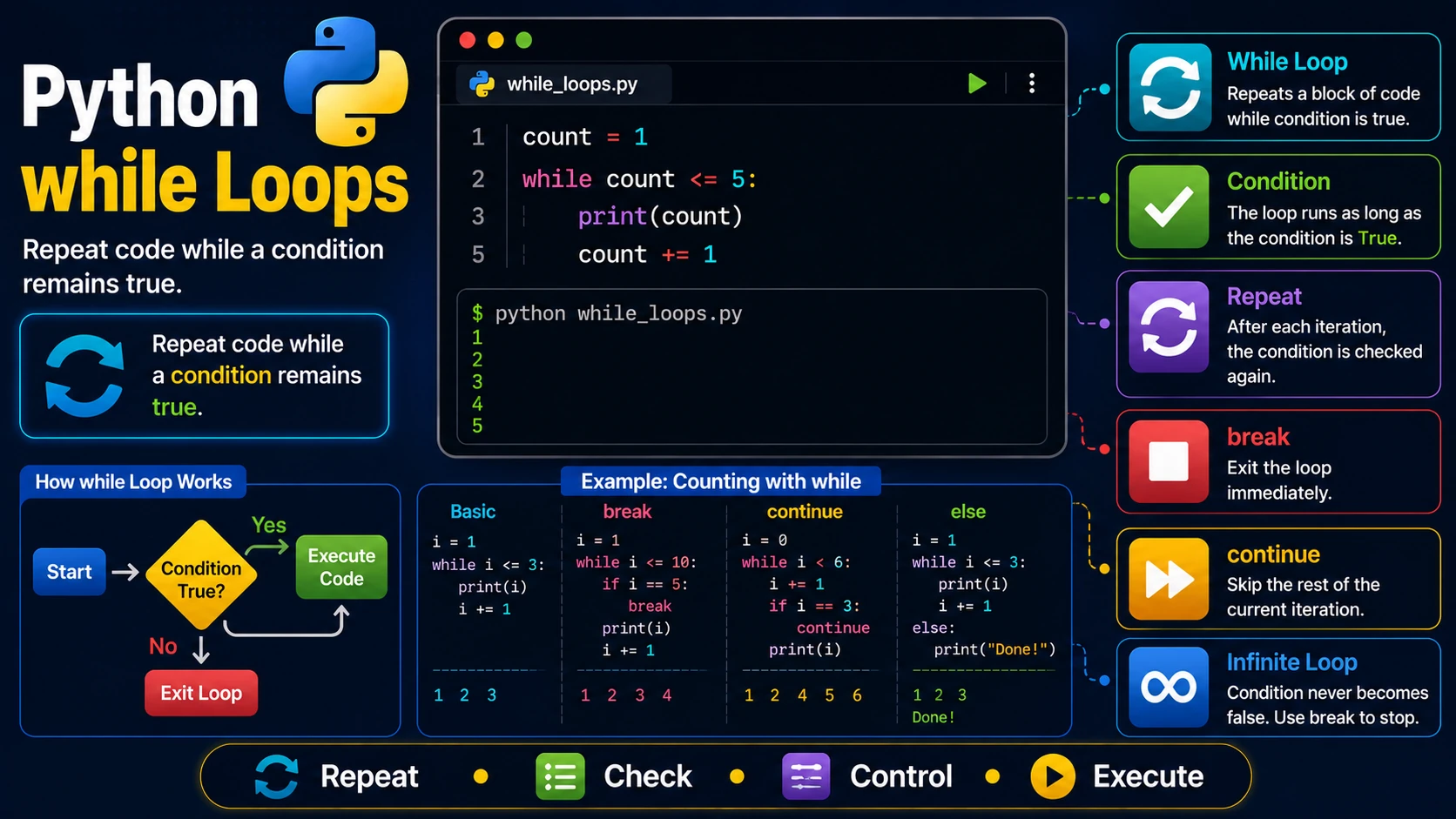
A while loop repeatedly executes a block of code as long as a specified condition remains true. Unlike a for loop, which iterates over a sequence, a while loop continues until its condition becomes false.
Basic while Loop
count = 1

while count <= 5:
    print(count)
    count += 1
Output:
1
2
3
4
5
How the Condition Works
Before each iteration, Python checks the loop condition. If the condition evaluates to True, the loop runs again. When it becomes False, execution continues with the next statement after the loop.
Using break
The break statement immediately exits the loop.
count = 1

while True:

    print(count)

    if count == 5:
        break

    count += 1
Using continue
The continue statement skips the rest of the current iteration and moves to the next one.
count = 0

while count < 6:

    count += 1

    if count == 3:
        continue

    print(count)
The else Clause
A while loop may include an else block that executes when the loop finishes normally (not because of a break statement).
count = 1

while count <= 3:
    print(count)
    count += 1
else:
    print("Loop finished.")
Infinite Loops
A loop whose condition never becomes false is called an infinite loop.
while True:
    print("Running forever...")
Be sure to include a break statement or another way to stop the loop when appropriate.
Real-World Example
password = ""

while password != "python123":
    password = input("Enter password: ")

print("Access granted!")
Best Practices
- Always make sure the loop condition will eventually become false.
- Use
breakonly when necessary. - Keep loop conditions simple and easy to understand.
- Avoid accidental infinite loops.
Summary
The while loop is ideal when you do not know in advance how many times a block of code should repeat. Combined with break, continue, and else, it provides a powerful way to control program flow.
Examples
The following examples help reinforce the concepts explained in this lesson.
<!DOCTYPE html>
<html>

<head>

<title>My First Page</title>

</head>

<body>

<h1>Hello World</h1>

</body>

</html>
💡 Pro Tip
Practice every concept immediately after reading it. Learning by doing is the fastest way to master HTML.
⚠ Common Mistake
Do not simply copy code examples. Type them yourself and experiment with small changes.
Best Practices
- Write clean and readable HTML.
- Indent your code consistently.
- Use semantic HTML elements.
- Validate your HTML regularly.
- Test your pages in multiple browsers.
Frequently Asked Questions
Why should I learn HTML first?
HTML is the foundation of every website. Once you understand HTML, learning CSS and JavaScript becomes much easier.
Is HTML difficult?
No. HTML is considered one of the easiest web technologies to learn, making it an excellent starting point for beginners.